 QuantiSheet
Measure it.
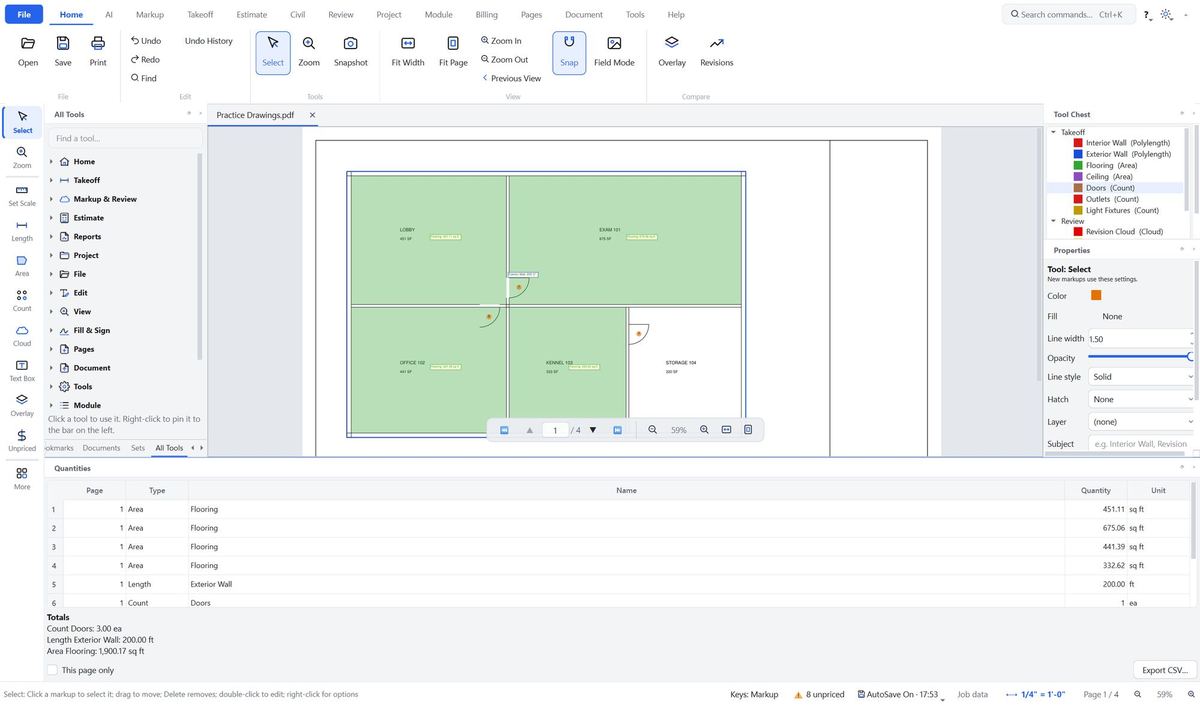
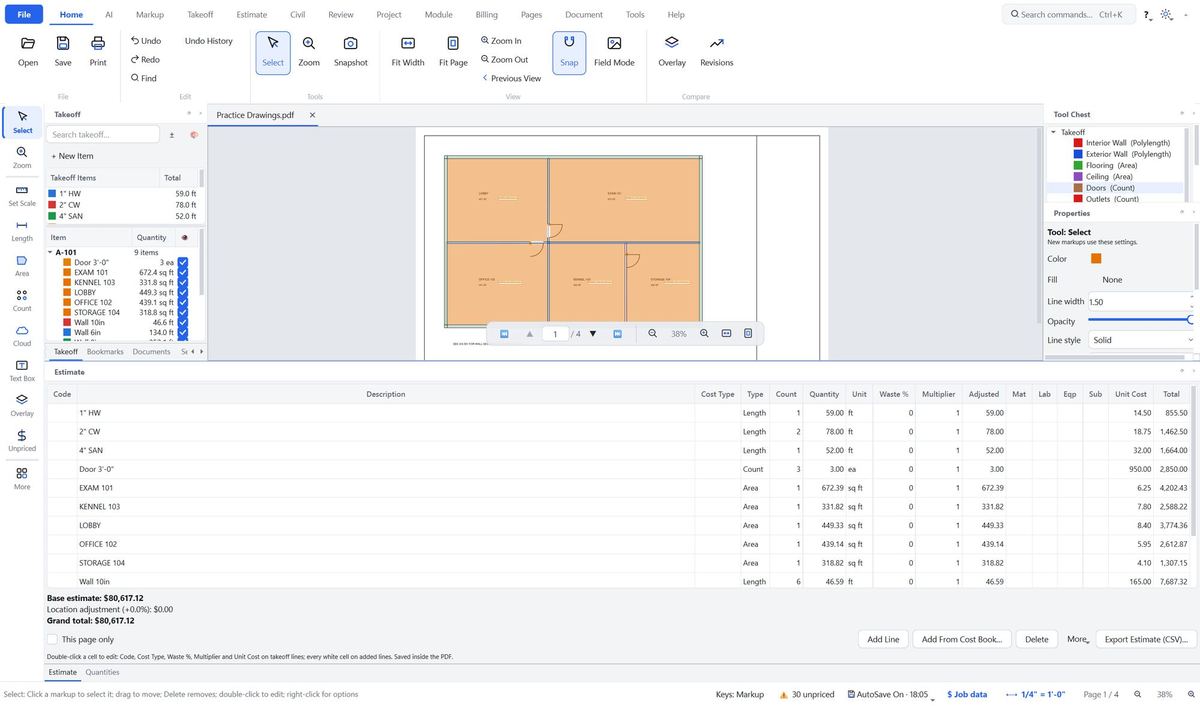
Length, area, and count. Name the group. The Quantities panel totals it while you work.
Free for Windows
Open a plan set, set the scale, measure, price the quantities, and check the bid before it goes out.
Microsoft Store. No subscription. No paid tier.
Length, area, and count. Name the group. The Quantities panel totals it while you work.
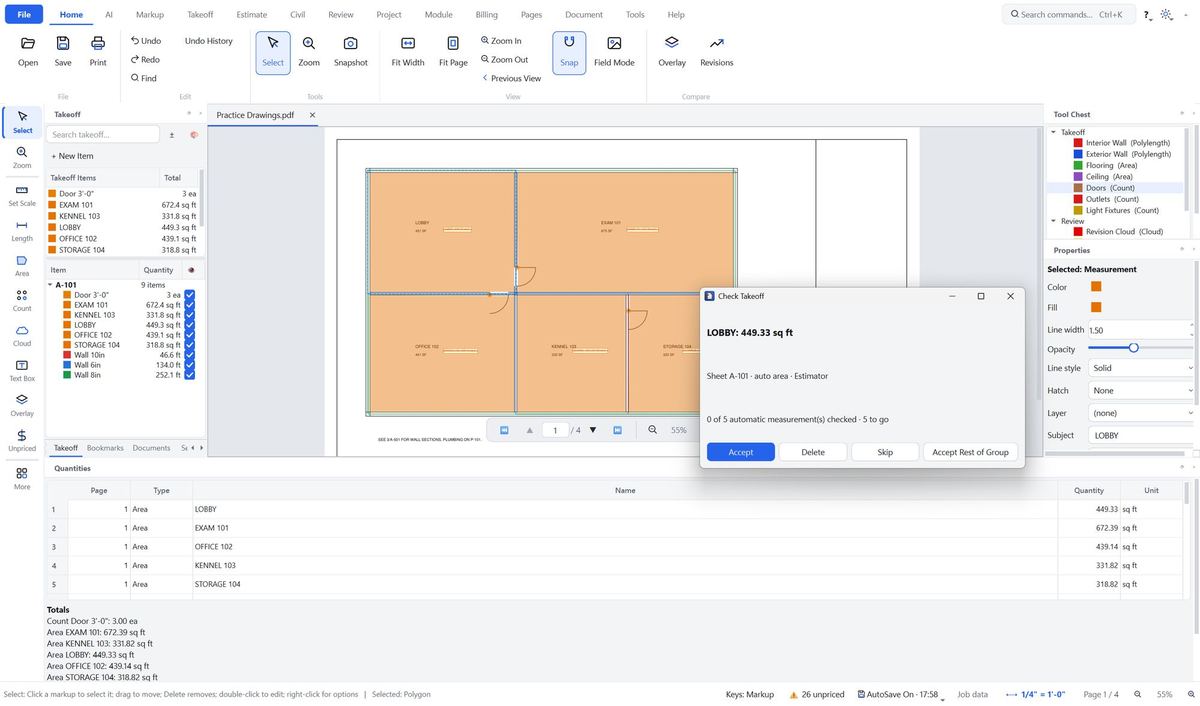
Automatic takeoff finds rooms, walls, doors, and symbols. Check Takeoff puts each one in front of you. Accept it, skip it, or delete it. Nothing counts until you do.
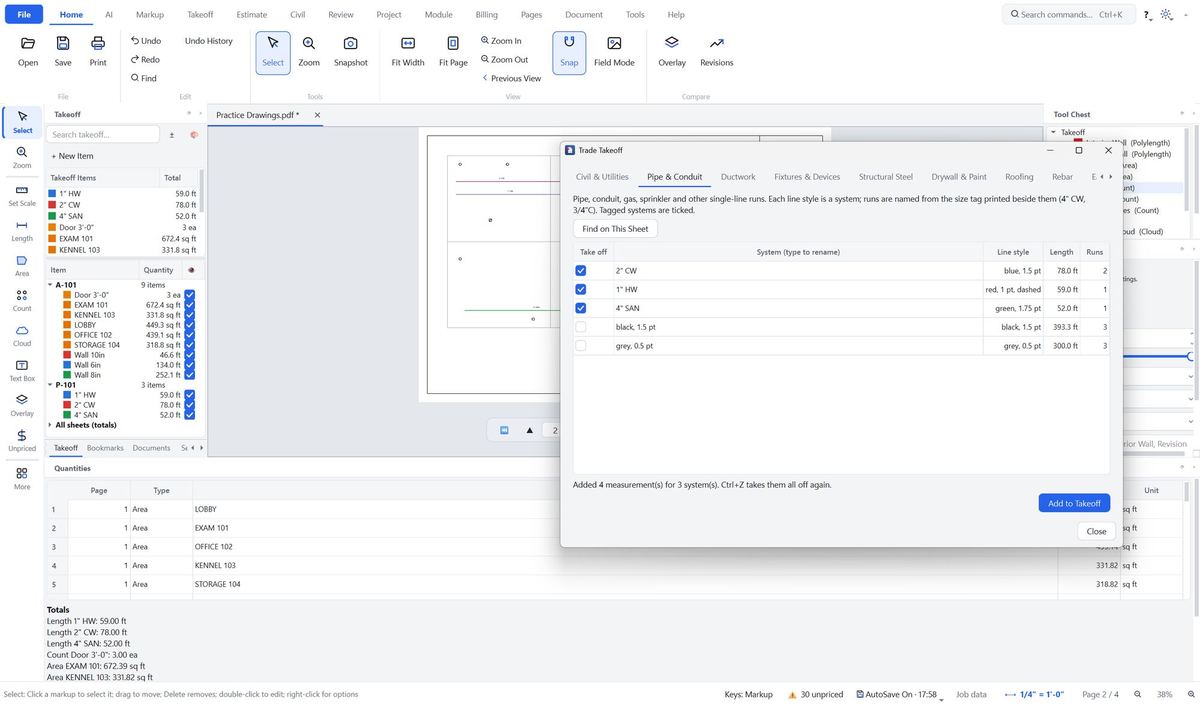
Pipe, duct, devices, structural steel, roofing, rebar, and earthwork, read from the lines and the tags. Civil takeoff adds pipe by size and depth band, manholes, structures, and trench assemblies.
Read the scale printed on each sheet, pick a preset, or calibrate to a dimension you know. A written scale is only right on a full-size print. If the sheet says half size, check a known dimension before you trust a quantity.
On your PC
It reads sheet numbers, titles, disciplines, and scales, then rooms, pipe, and fixtures. Anything it is not sure of goes to a review list. Those lines stay dashed until a person accepts them in Check Takeoff. Only accepted items go into the takeoff and the estimate.
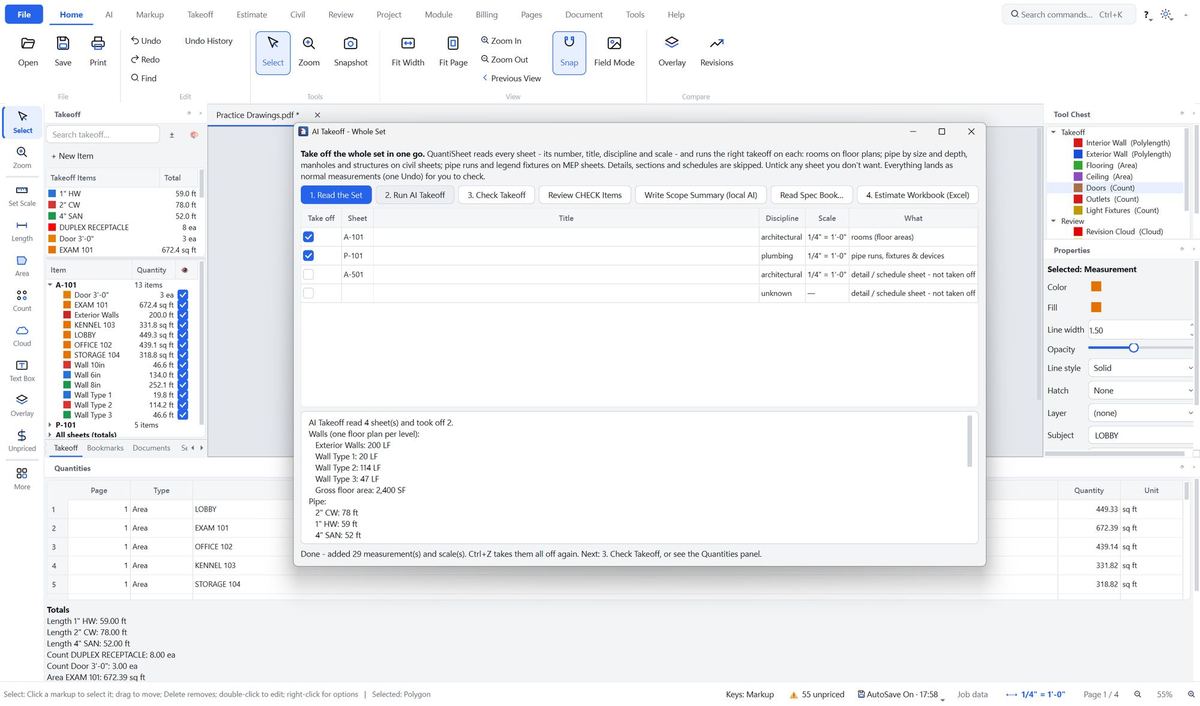
Optional. It runs on an Ollama model you install. Nothing is sent to an outside AI service unless your IT points it at another computer you choose.
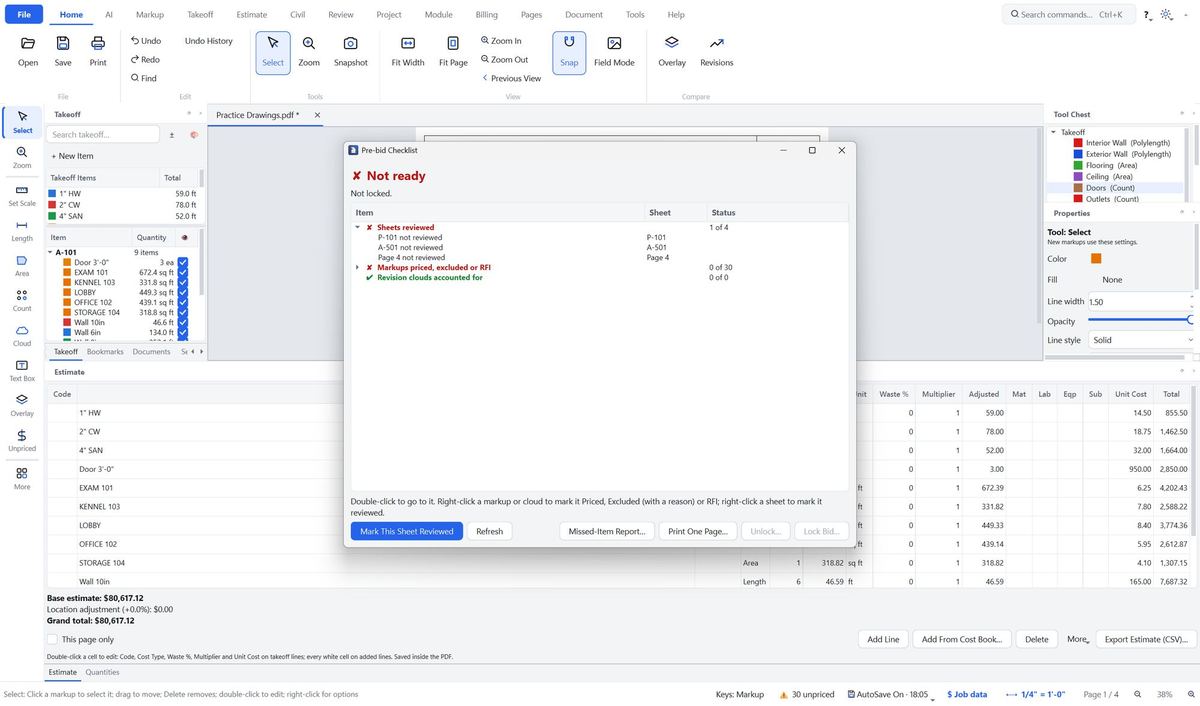
The real program, on the practice drawings that come with it.
Before it goes out
Assemblies, cost books, and crews you can edit. Add overhead, profit, and bond, and make a proposal PDF.
Before Lock Bid: every sheet reviewed, every markup priced, excluded with a reason, or sent as an RFI, and every revision cloud accounted for.
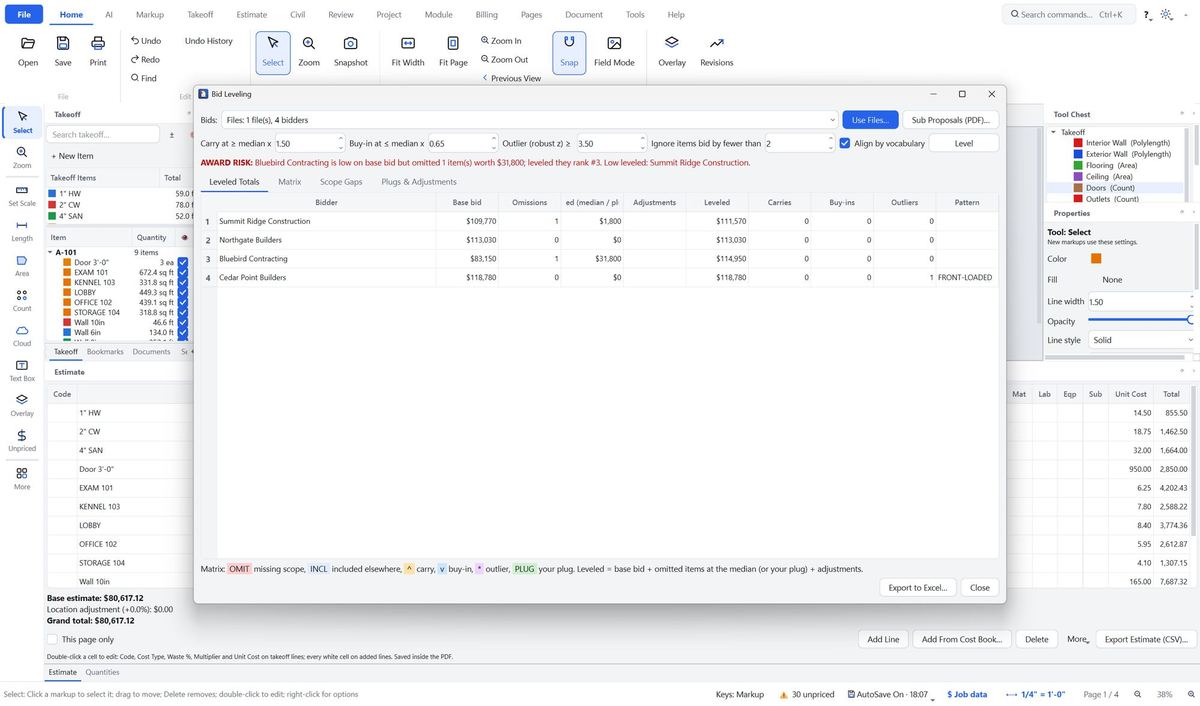
Scope Sheets and bid leveling compare subcontractor bids by trade, with a math check on each bid.
Practice bids in the screenshot. The check is the same one you run on a real set.
Compare Revisions clouds what changed. Batch Slip Sheet swaps in the new sheets and carries your markups and takeoff over. A measurement on a changed area is flagged for you to check.
After the award
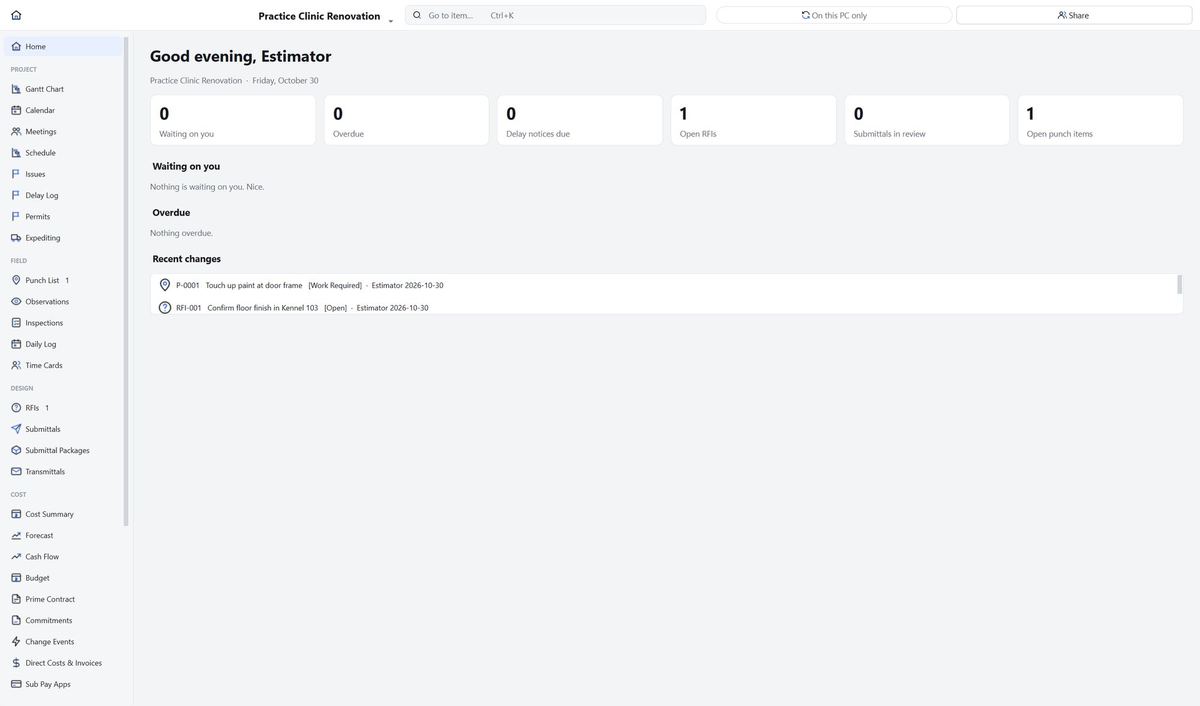
Project Center keeps them in one place, with submittals and daily logs. AutoSave, crash recovery, and version history cover the files you have open.
Practice clinic renovation. The counts on screen are sample data.
The same lessons as Help inside the program. Press play and that one video loads from YouTube. Nothing loads before that. More are on @QuantiSheet.
Press F1 for the Help Center. Press Ctrl+K to find any command. Or choose Help > Report an Issue, or write to [email protected].
No. QuantiSheet is free on the Microsoft Store, with no subscription and no paid plans. If you would like to help keep it developed, see Donate.
Windows 10 or Windows 11, 64-bit, with 8 GB of RAM. Nothing else has to be installed. Two extras are optional and are separate downloads: Tesseract OCR, to make scanned drawings searchable, and Ollama, for the optional local AI text helpers. The Microsoft Store lists Windows 10 version 17763.0 or higher, and recommends 16 GB.
No. Everything works without the optional local AI helpers. AI Takeoff itself runs on your PC, and nothing is sent to the internet. Weather, aerial maps, Dropbox and DocuSign only go online when you start them.
They stay on your PC. QuantiSheet has no telemetry and no account, and the developer receives nothing from the app. Takeoff, estimate and billing data is saved inside your PDF files. The Privacy Policy has the details.
AI results are drawn dashed with an AI badge until you accept them. Select one and press A to accept it or D to deny it, or work through the Review Queue. Only accepted items go into the takeoff and estimate.
Check the scale first. Click the scale in the status bar, measure a dimension you know, and confirm or re-set it. Sheets marked HALF SIZE, 11x17 sheets and sheets a different size from the rest of the set can make a written scale wrong.
Run Document > Make Searchable (OCR). OCR needs Tesseract installed on the PC.
Press Ctrl+Z. The Undo command says what it takes back, and a whole AI Takeoff run can be undone in one step.
The next start offers to recover your work, or use File > Recover Unsaved Files. File > Version History lists earlier saved versions.
Updates come through the Microsoft Store. In the program, Help > Check for Updates Now checks, and if the Store does not answer it offers to open QuantiSheet's Store page, where you can update.
Compare Revisions clouds what changed. Batch Slip Sheet swaps in the new sheets and carries your markups and takeoff over. A measurement on a changed area is flagged to check.
Yes. QuantiSheet is open source under the GNU AGPL-3.0 license. Help > About shows the link for your version, and the code is on GitHub.
Windows 10 or later. Your files stay on your PC.
Get QuantiSheetWindows 10 version 17763.0 or higher. 64-bit. 8 GB of memory.